Getting started as an organizer
1. Sign in
Divot has no password to remember. Go to divot.pro, choose Sign in, and enter your email. We email you an 8-digit code (from notify.divot.pro). Type it in and you're signed in. You can also use Continue with Google.
Codes expire after 15 minutes. If one doesn't arrive, check spam and use Resend code after about a minute.
2. Find your club
Open /clubs (the club directory). Divot lists the clubs on the official USPA list. Search for your club by name.
3. Claim it
If nobody manages the club on Divot yet, the club page shows Claim this club. Send the short form with a note about your role at the club. The Divot team reviews every claim to prevent impersonation. Track it under Me → My Clubs → Pending review.
Once approved you're the club's owner. You can edit the club profile, invite managers and editors, and host events under the club's name.
4. Or add a new club
If your club isn't listed, click Add club at the top of /clubs. You become its first owner, and the Divot team verifies it.
5. Or create an organization
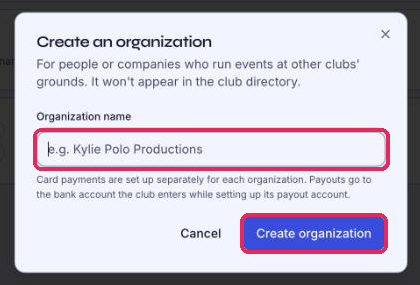
If you run events at other clubs' grounds rather than your own club, create an organization instead. It won't appear in the club directory.
Open Me → My Clubs and choose Create organization.

Enter the organization name and choose Create organization.
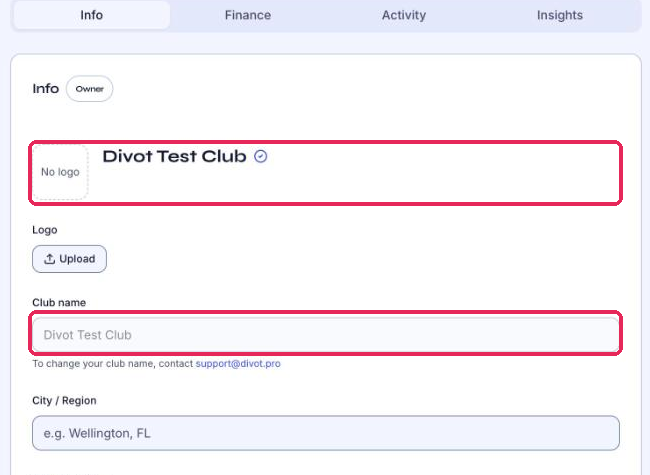
On the organization's Info tab, add its logo and city/region.
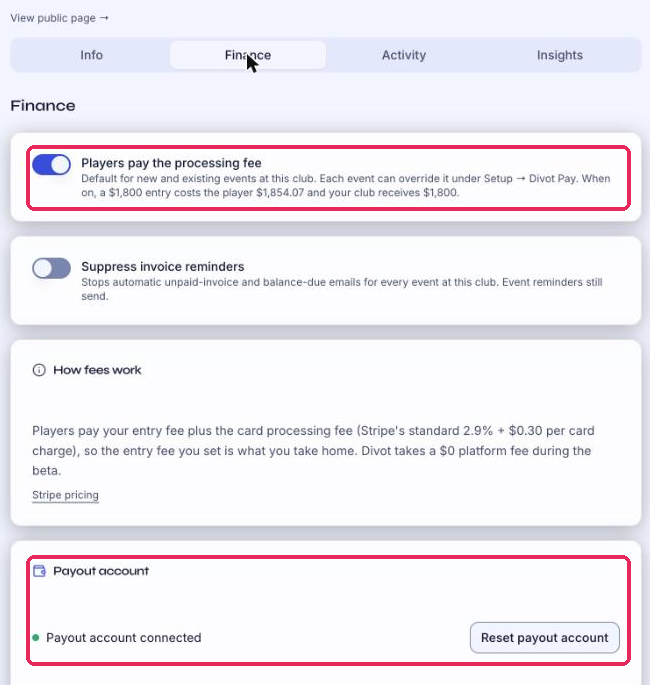
On the Finance tab, set the processing fee and invoice reminders, and check the payout-account status.
6. Next steps
Create your first event. If you want to take card payments, read "Take card payments with Divot Pay".